

MM – Make More of the Same Object (Free AutoCAD LISP)
MM – Make More of the Same Object (Free AutoCAD LISP)
11th August 2026
FREE AUTOCAD LISP
MM — pick any object, draw more exactly like it
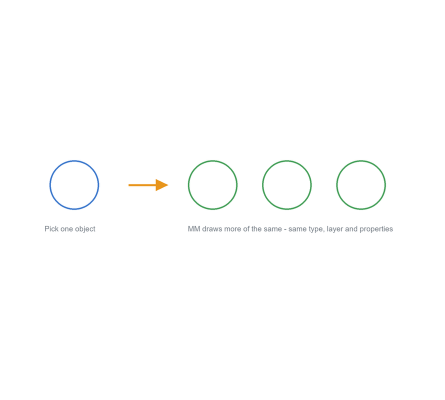
Pick one object and MM starts the right drawing command for more of the same — on the same layer, with the same colour, linetype, lineweight and matching style settings, no matter what is current.
It’s the fastest way to extend someone else’s drawing: no layer switching, no MATCHPROP afterwards, no wondering which text style that label used. A companion command, MMR, resets your original settings when you’re done.

Download MM (free, .zip)
No sign-up.
How to use it
- Unzip, then load the .lsp with
APPLOAD. - Type
MM. - Select the object to make more of – and draw.
- Type
MMR when you’re done to restore your own settings.
Good to know
| Matches | Entity type, layer, colour, linetype, linetype scale, lineweight, thickness and style where relevant |
| Companion | MMR restores the settings MM changed |
| Commands | MM, MMR |
| Credit | By Kent Cooper, expanded from a CADALYST 2008 concept by Mosad H. Elewa |
From the same workshop — watch what the paid add-ons do
This tool is part of our free AutoCAD LISP collection — 20+ routines, all free, all tested on real projects.

IRRLINE – Irrigation Line Parallel to a Plot Border (Free AutoCAD LISP)
FREE AUTOCAD LISP IRRLINE — the irrigation ...

SPEED – Dirt Jump Trajectory Calculator (Free AutoCAD LISP)
FREE AUTOCAD LISP SPEED — draw the ...