

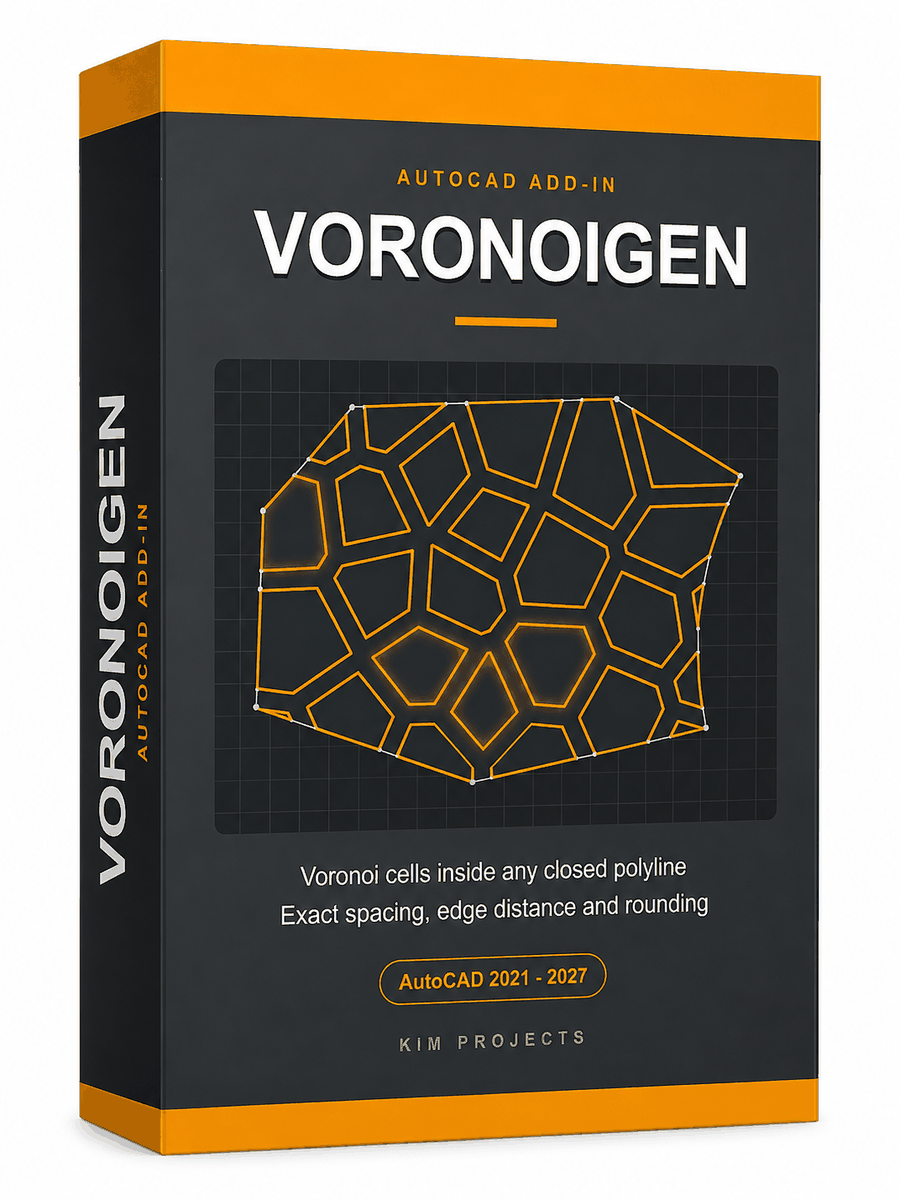
Voronoi Generator for AutoCAD
Fill any closed polyline with Voronoi cells – exact spacing between shapes, exact distance from edges, corner rounding that can never make shapes touch. Live preview, four pattern styles.
AutoCAD 2021–2027. One code activates one computer, permanently — no subscription.
Ver em português · IT · TR · Auf Deutsch · Voir en français · Ver en español
Description
Voronoi Generator fills any closed polyline with organic Voronoi cells — the pattern architects put on facades and screens, fabricators cut on lasers and CNC routers, and designers reach for whenever a surface needs to look grown rather than drawn.
Select the boundary — arc segments welcome — set four numbers in a dialog, and generate. What lands in the drawing is clean, closed polylines, ready for HATCH, EXTRUDE or the cutting table. It is the easiest way to make a Voronoi pattern in AutoCAD — no scripts, no exports, no other software.
Why there’s no easy Voronoi in plain AutoCAD
AutoCAD has no Voronoi command. The free routines you find on the CAD portals build a raw diagram from scattered points — cells that share edges, spill past your boundary, and offer no control over spacing — a nice diagram, not something you can hatch, extrude or send to a laser. The manual construction (perpendicular bisectors between points, then trim) works for a homework example, not for a facade. Voronoi Generator does the whole job inside one dialog: real closed cells with an exact gap between them, clipped to your exact boundary, rounded if you want them rounded.
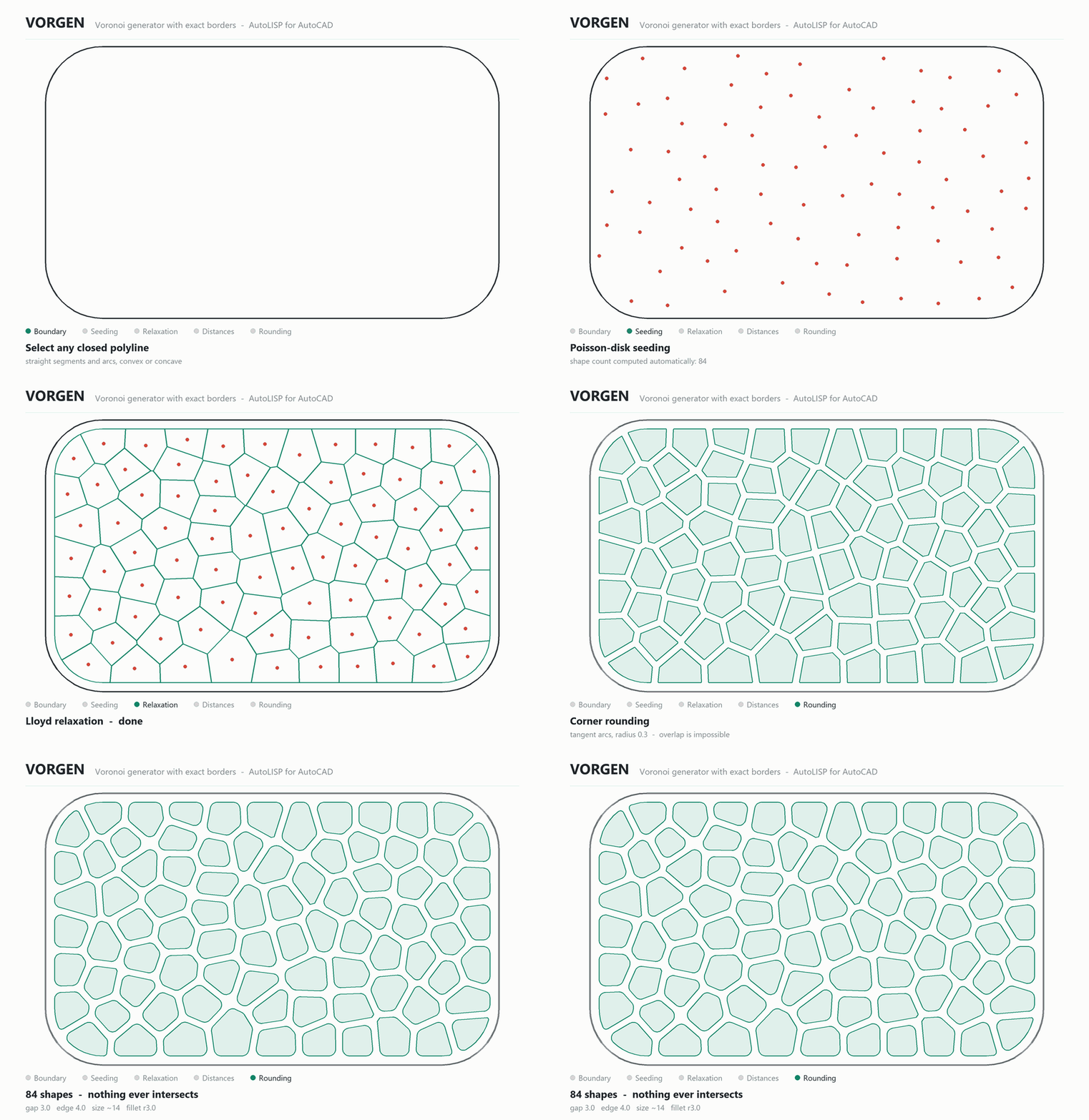
- Distance between shapes is exact by construction — the cell walls are built at half the gap from each seed, not shrunk afterwards and hoped for.
- Distance from edges is a true inward offset of your boundary, validated — ask for too much and it tells you instead of failing.
- Corner rounding uses analytic tangent arcs, clamped per corner — rounded shapes can never touch or overlap.
- The number of shapes is computed for you from the area, size and distances — shown in the dialog, never asked.
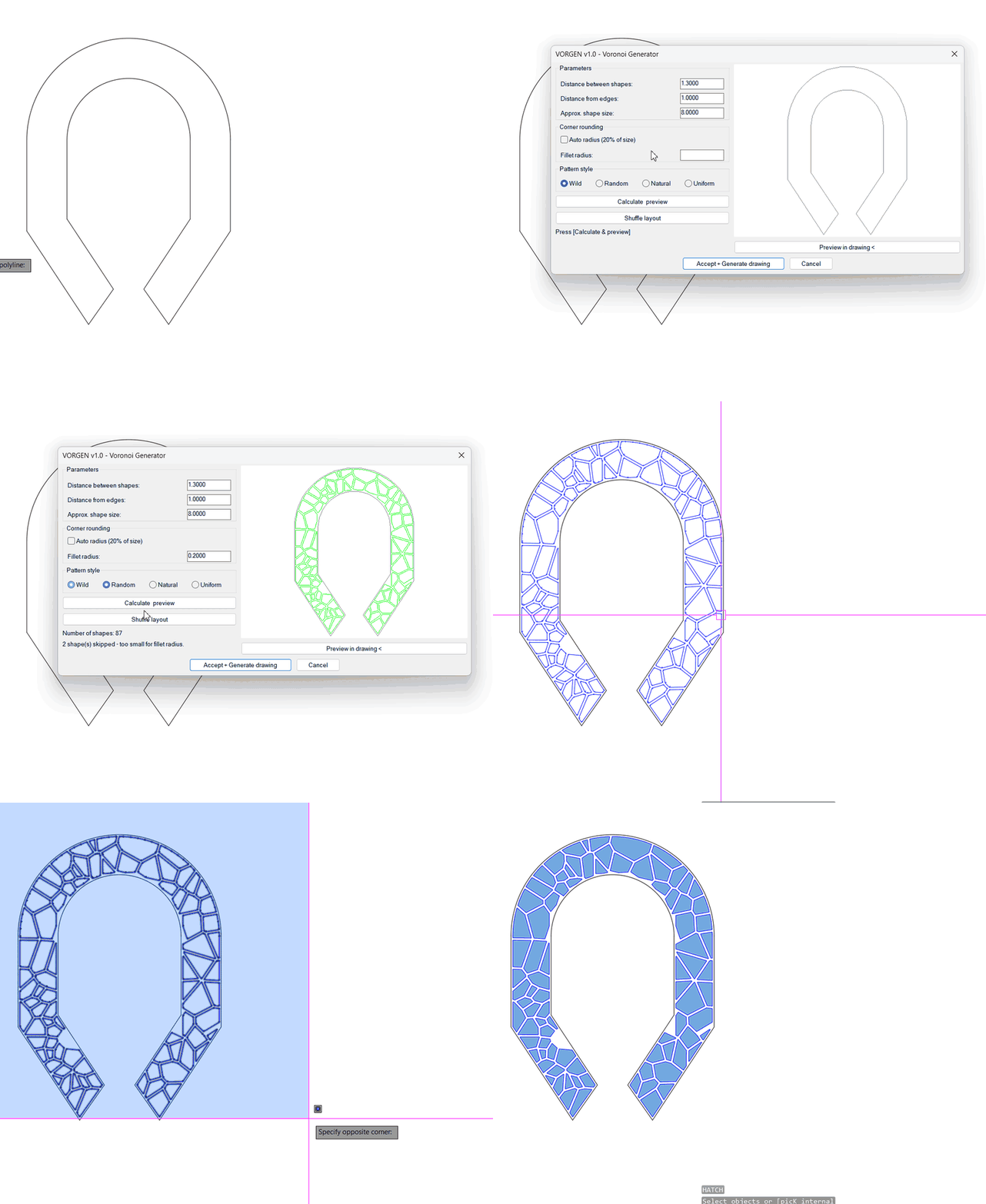
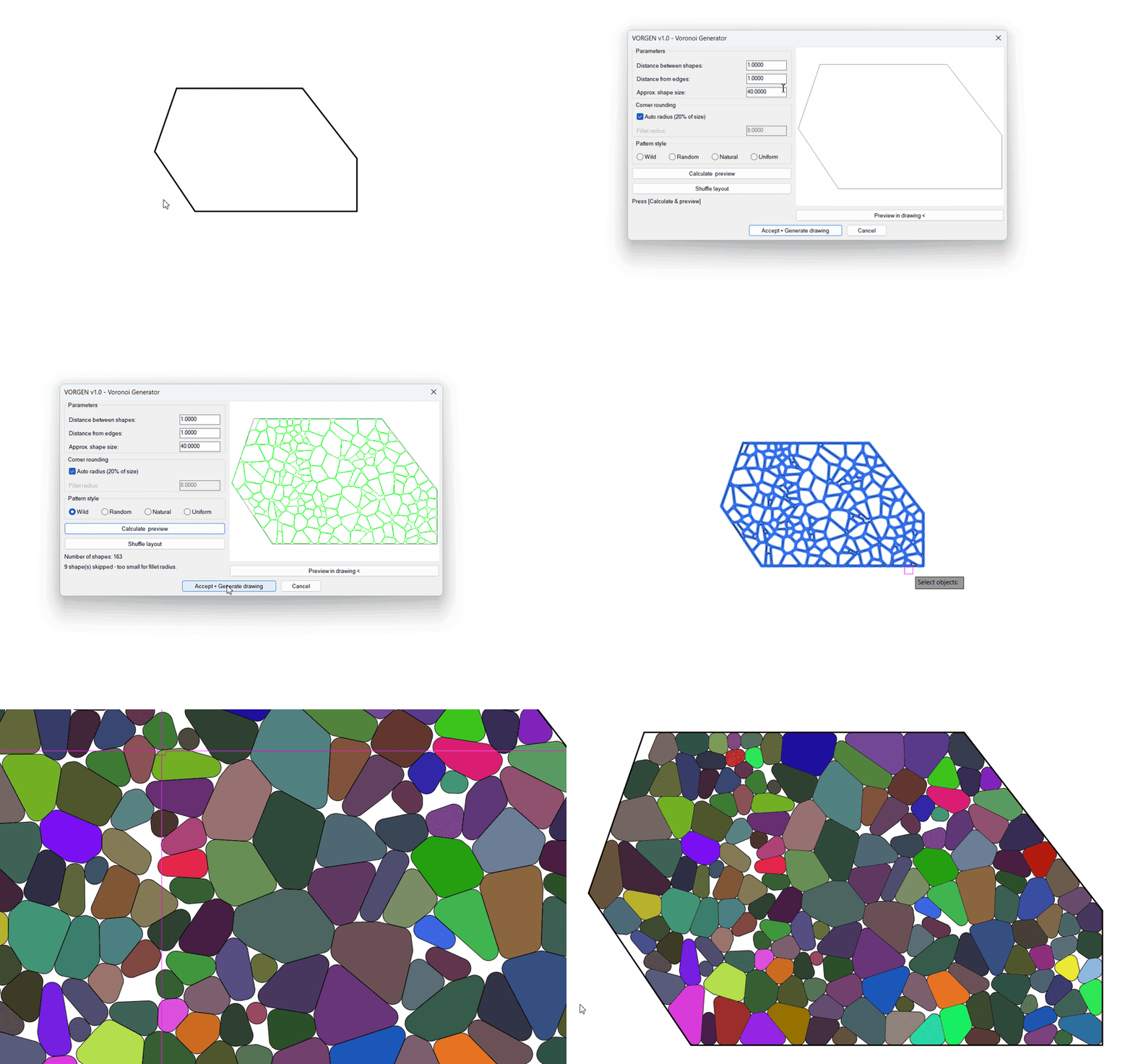
One dialog, nothing else to learn
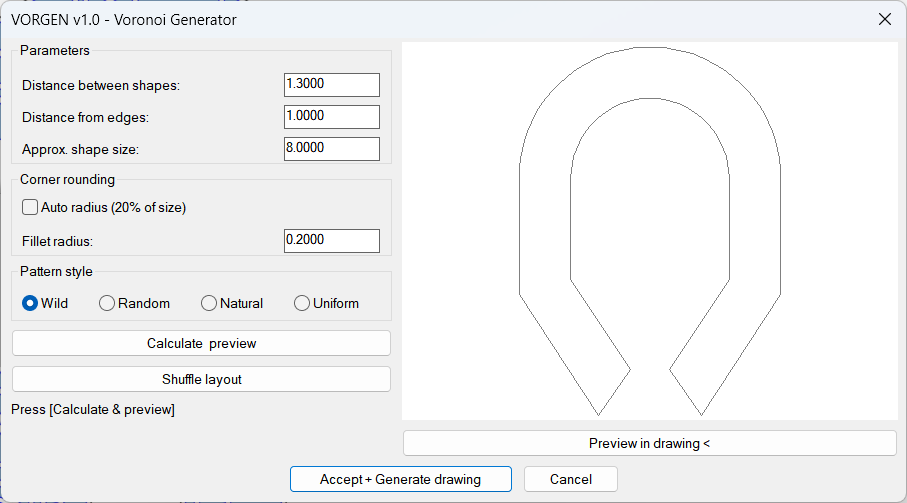
Everything happens in one place: spacing, edge distance, approximate shape size, corner rounding (type a radius or tick Auto — 20% of size), and the pattern style. Nothing recalculates while you type — press Calculate & preview when you’re ready, Shuffle layout for a new arrangement of the same recipe, and nothing touches your drawing until Accept + Generate.
Want to judge it at full scale? Preview in drawing shows the pattern as temporary vectors right on your boundary — press any key and you’re back in the dialog, drawing untouched.
Four pattern styles
| Wild | Big size contrast, dramatic – the look of shattered stone |
| Random | Natural scatter, moderate variety |
| Natural | Evened-out cells, like soap bubbles or dragonfly wings |
| Uniform | Near-regular honeycomb-like cells |
From plan to mosaic — a real project
A garden court plan: the pedestrian walk and the pond get the Voronoi treatment, and each cell is a closed polyline — so hatching them in different colours turns the pattern into a Gaudí-style mosaic. 266 cells on the pond alone, generated in one pass:


How the geometry is built
Seeds are scattered in your boundary, relaxed so sizes even out, and every cell wall is placed at exactly half your gap from each neighbouring seed — then the whole pattern is clipped to your true inward-offset boundary and rounded. Watch the construction:
How it works
- Type
VORGEN, or click Voronoi Generator on the Add-ins ribbon tab. - Select the closed boundary polyline.
- Set distances, size, rounding and style — Calculate & preview, shuffle until you like it.
- Press Accept + Generate drawing. Clean closed polylines, done.
Good to know
| Boundary | Any closed polyline — arc segments are supported (sampled into fine chords) |
| Output | Ordinary closed polylines — hatch them, extrude them, send them to the laser |
| Typical uses | Facade panels, privacy screens, laser & CNC cutting, paving layouts, organic art |
| AutoCAD | 2021, 2022, 2023, 2024, 2025, 2026, 2027 — 64-bit Windows |
| Commands | VORGEN, or VORONOIGEN |
When you purchase Voronoi Generator, you’ll receive an email with a download link and a unique license code to activate the program.
- One activation code activates one computer.
- No subscription, no expiry date, no renewal.
- After activation the add-in works offline and never contacts our server again.
Questions about Voronoi patterns in AutoCAD? Contact us.
Reviews
There are no reviews yet.