


TBG – Toggle AutoCAD Background Black / White (Free LISP)
TBG – Toggle AutoCAD Background Black / White (Free LISP)
11th August 2026
FREE AUTOCAD LISP
TBG — flip the AutoCAD background black or white, instantly
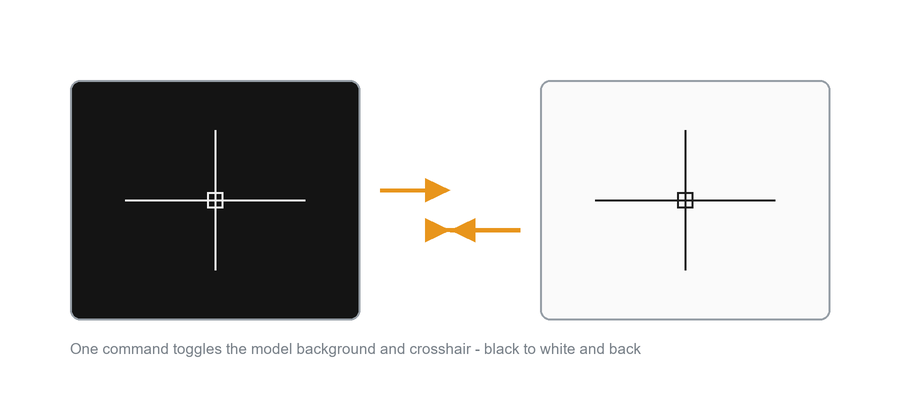
One letter-command flips the model-space background between black and white — and flips the crosshair colour with it, so the cursor never disappears into the background.
Perfect for screenshots, prints and screen-sharing: work on black, present on white, switch back in a keystroke.
Download TBG (free, .zip)
No sign-up.
How to use it
- Unzip, then load the .lsp with
APPLOAD. - Type
TBG. - Type
TBGagain to switch back.
Good to know
| Changes | Model-space background colour and crosshair colour, together |
| Scope | A display preference – it affects AutoCAD, not the drawing file |
| Command | TBG |
Originally written by Lee Mac.
From the same workshop — watch what the paid add-ons do

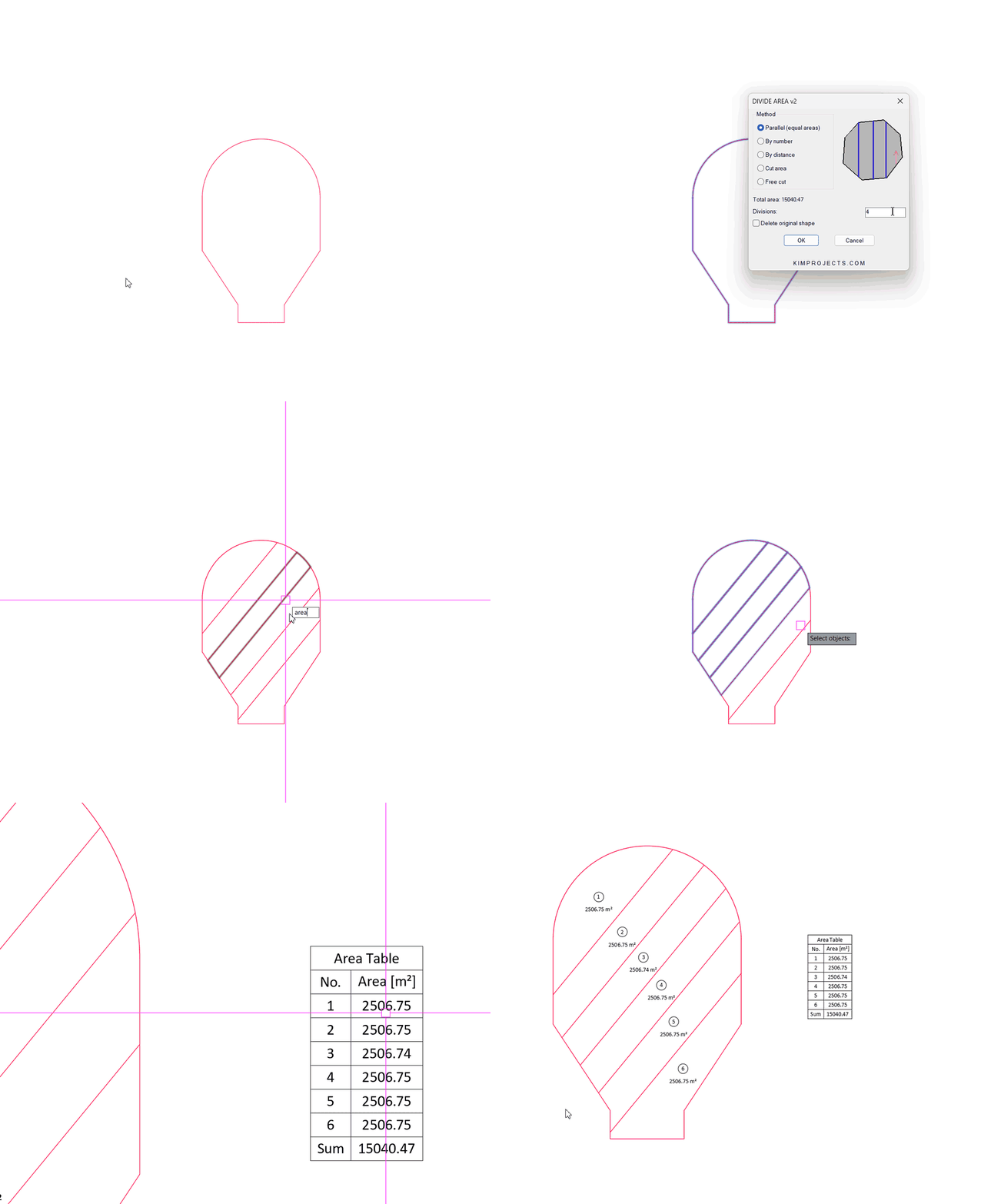

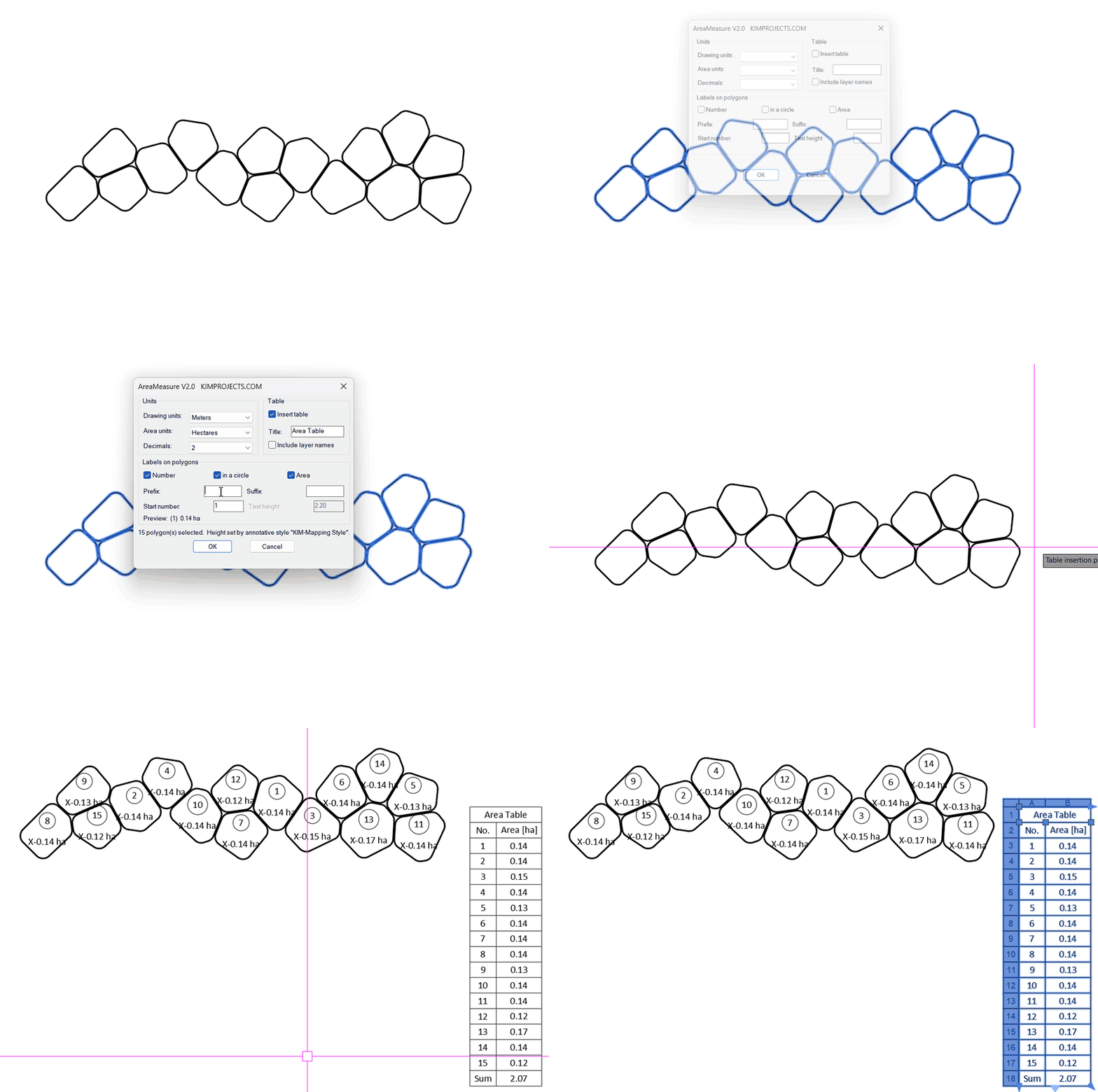

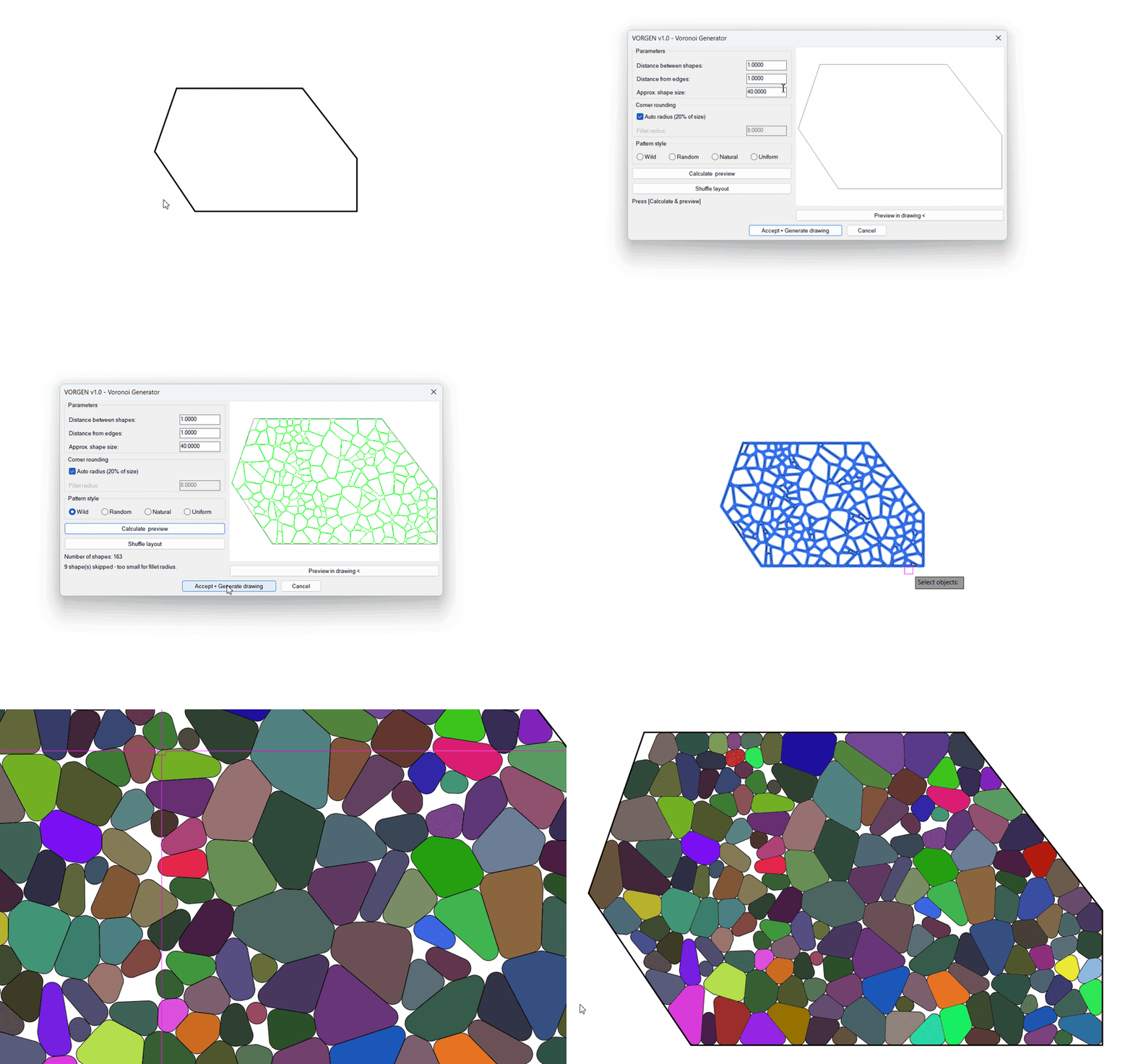
This tool is part of our free AutoCAD LISP collection — 20+ routines, all free, all tested on real projects.

IRRLINE – Irrigation Line Parallel to a Plot Border (Free AutoCAD LISP)
FREE AUTOCAD LISP IRRLINE — the irrigation ...

SPEED – Dirt Jump Trajectory Calculator (Free AutoCAD LISP)
FREE AUTOCAD LISP SPEED — draw the ...