


IRRLINE – Irrigation Line Parallel to a Plot Border (Free AutoCAD LISP)
IRRLINE – Irrigation Line Parallel to a Plot Border (Free AutoCAD LISP)
11th August 2026
FREE AUTOCAD LISP
IRRLINE — the irrigation line that follows your plot border, curves included
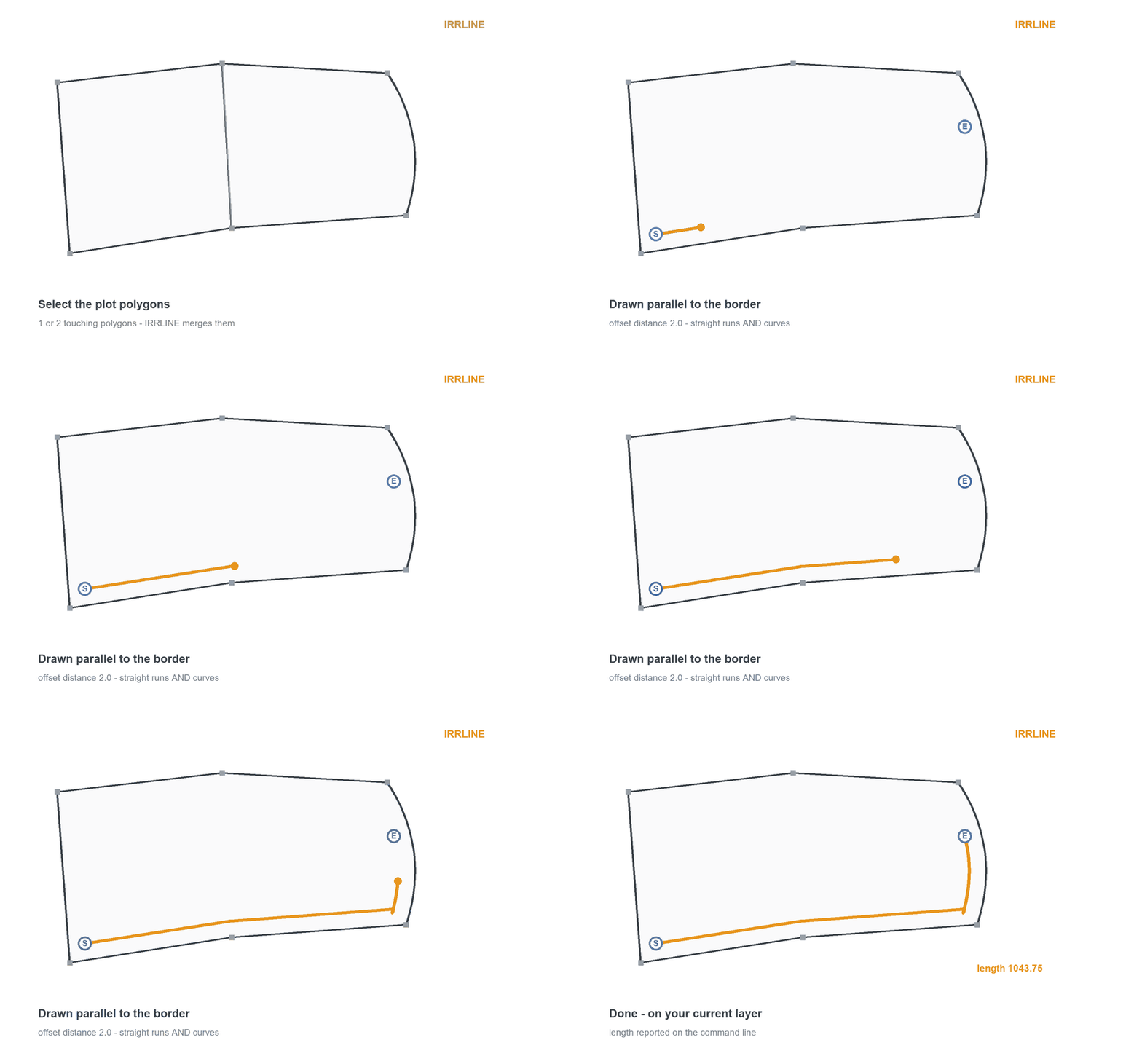
Select the plot, pick where the line starts and ends, type the offset — and IRRLINE draws the sub-main or lateral parallel to the plot border, following straight runs and curves alike.
Select two touching plots and they merge automatically: the line follows the outer border and ignores the shared edge, so start in one polygon and end in the other. Before accepting, F flips the direction around the border and S switches the side between inside and outside.
Download IRRLINE (free, .zip)
No sign-up.
How to use it
- Unzip, then load the .lsp with
APPLOAD. - Type
IRRLINE. - Select the plot polygon – or two that share an edge.
- Pick the START and END points, type the offset distance (the last one is remembered).
- F to flip, S to switch inside/outside, Enter to accept.
Good to know
| Works on | Closed polylines – one plot, or two touching plots merged to their outer border |
| Follows | Straight runs AND curved border segments, at a true parallel offset |
| Options | F = flip direction, S = inside/outside, offset distance remembered between runs |
| Output | A polyline on your current layer; the length is reported when done |
| Command | IRRLINE |
Take it further — measure and split areas automatically



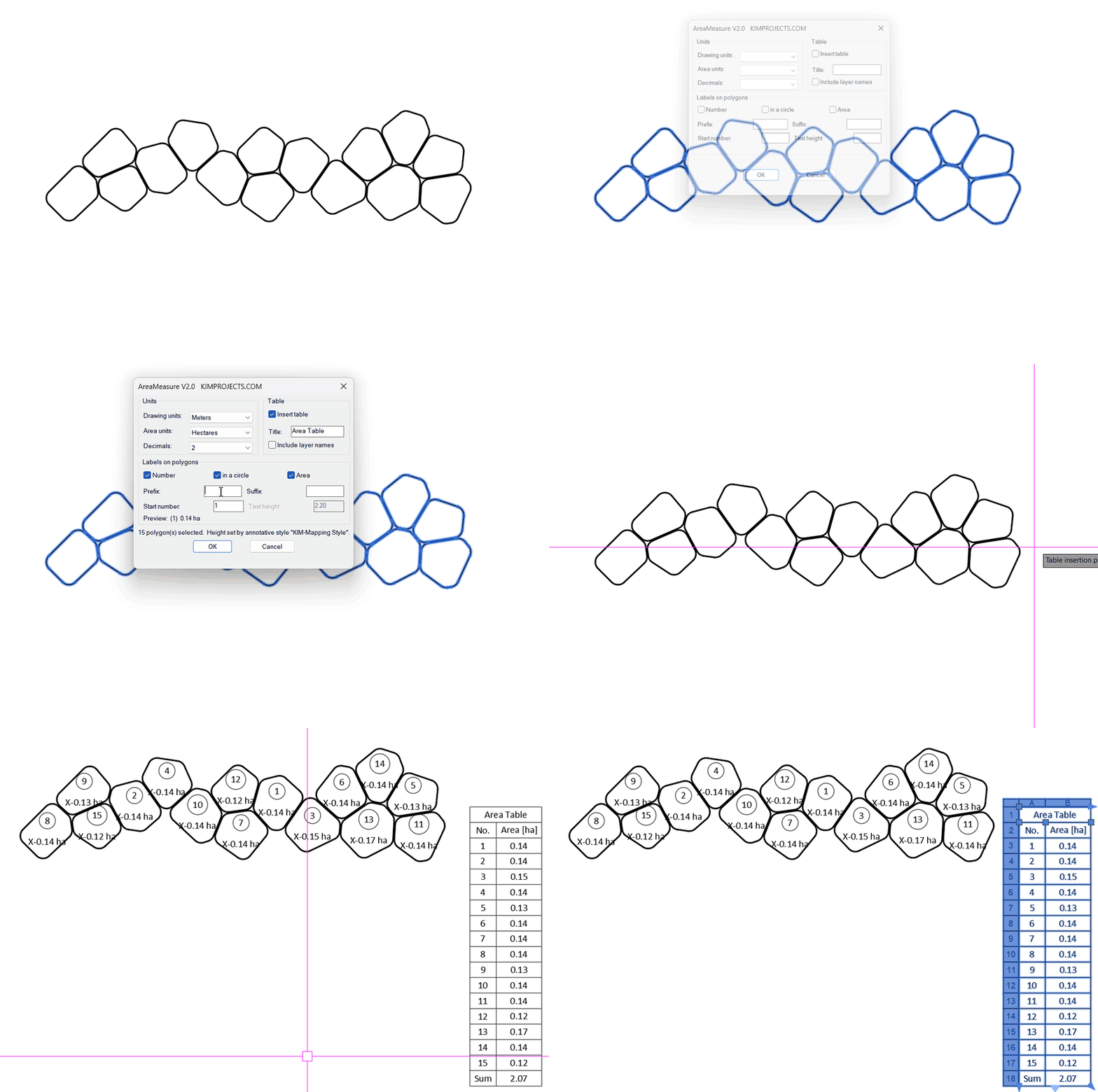
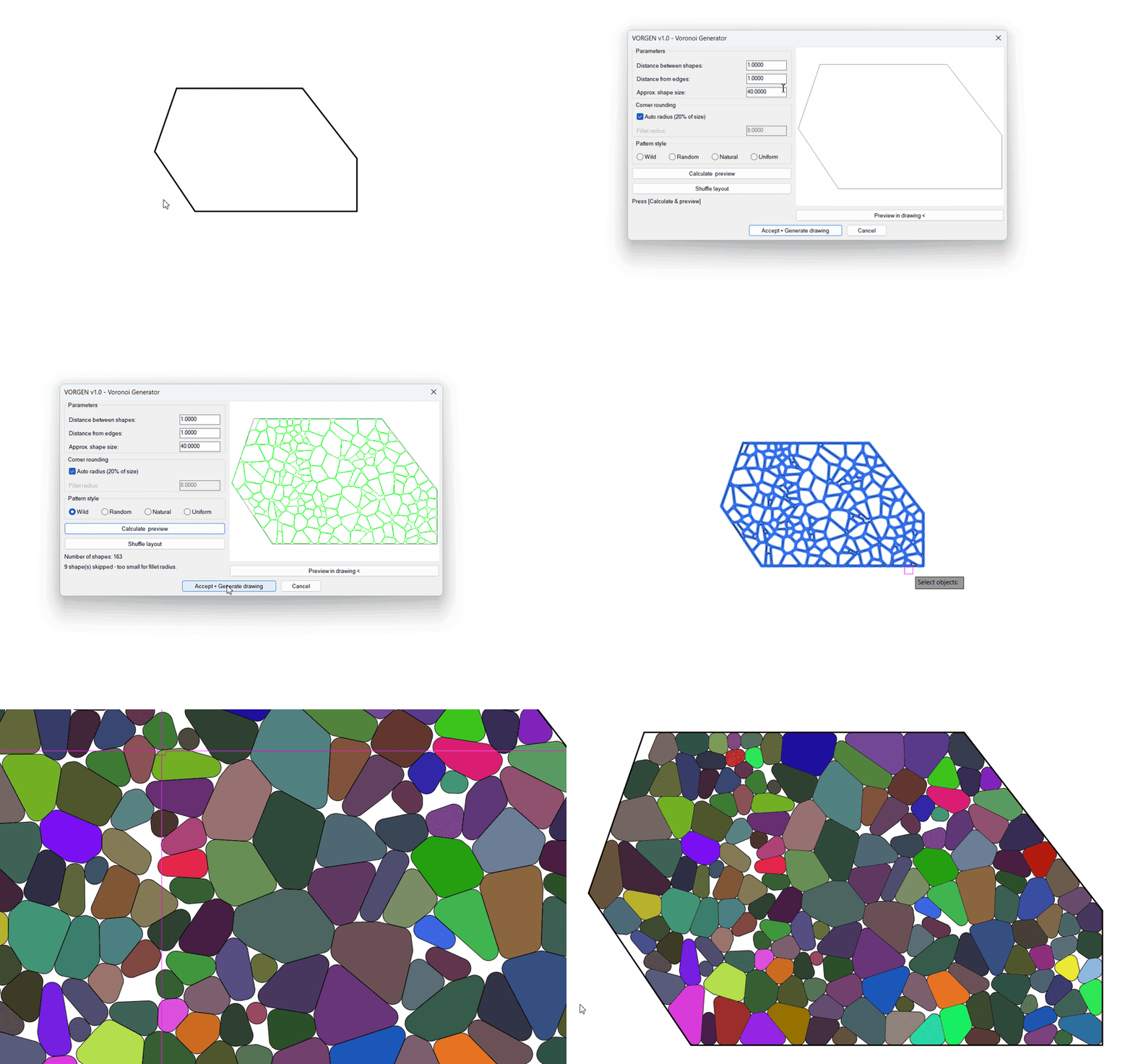
This tool is part of our free AutoCAD LISP collection — 20+ routines, all free, all tested on real projects.

SPEED – Dirt Jump Trajectory Calculator (Free AutoCAD LISP)
FREE AUTOCAD LISP SPEED — draw the ...

CX – Crop an Xref with a Comic-Style Callout (Free AutoCAD LISP)
FREE AUTOCAD LISP CX — crop any ...