

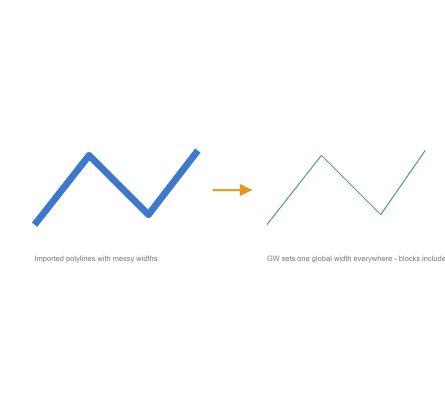
GW – Set Global Width of All Polylines (Free AutoCAD LISP)
GW – Set Global Width of All Polylines (Free AutoCAD LISP)
11th August 2026
FREE AUTOCAD LISP
GW — one global width for every polyline in the drawing, blocks included
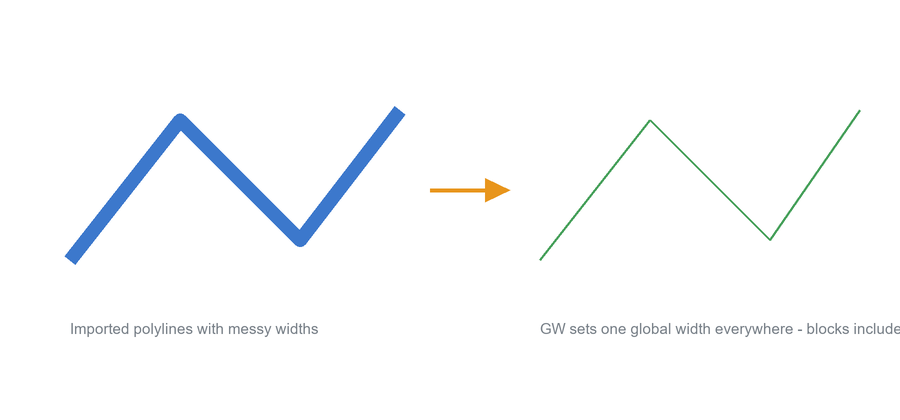
Drawings imported from GIS and other software often arrive with fat, uneven polyline widths that make them unreadable. GW sets one global width on every polyline in the drawing — including polylines inside blocks and nested blocks, which manual editing can’t reach.
Type the width (0 is the classic clean-up value) and the whole drawing is done in one go.
Download GW (free, .zip)
No sign-up.
How to use it
- Unzip, then load the .lsp with
APPLOAD. - Type
GW. - Type the global width – 0 to clean an imported drawing.
Good to know
| Changes | Global width of every polyline in the drawing – blocks and nested blocks included |
| Typical use | Cleaning GIS and other imports: set everything to width 0 |
| Command | GW |
| Credit | Written by Stefan M. – thank you, Stefan |
From the same workshop — watch what the paid add-ons do


This tool is part of our free AutoCAD LISP collection — 20+ routines, all free, all tested on real projects.

IRRLINE – Irrigation Line Parallel to a Plot Border (Free AutoCAD LISP)
FREE AUTOCAD LISP IRRLINE — the irrigation ...

SPEED – Dirt Jump Trajectory Calculator (Free AutoCAD LISP)
FREE AUTOCAD LISP SPEED — draw the ...